PL-300 · 3.3.6 · Visualize and analyze the data
Copilot summary of the model
Use Copilot to summarize the underlying semantic model
can summarize a to help report authors understand its data before building reports.
Understand the semantic model before building
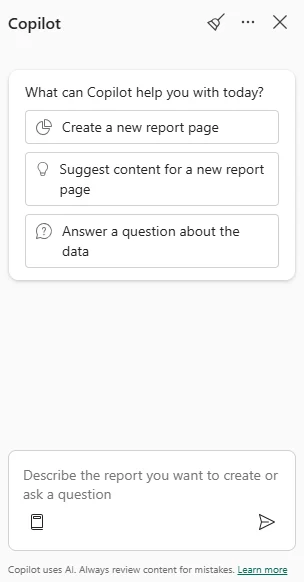
Ask to summarize a when you need an overview of its tables, business concepts, , and possible insights before designing report pages.
Model summary versus report summary
A helps an author understand the data source itself. A summarizes existing report pages or visuals for report consumers.
Those are different scopes: one starts from the semantic model, the other from report content.
Prepare the model for better AI answers
Clear names, descriptions, useful measures, AI data schemas, verified answers, and AI instructions can help Copilot interpret the model more reliably.
Copilot output is still a generated interpretation. Use it as orientation, then validate important business meaning against the model.
Exam clue: “what is in this semantic model?” = model summary; “summarize these visuals” = narrative visual.
Key points
- : ask to
- Purpose: understand model contents and possible insights
- Prepared model: improves Copilot interpretation
- : summarizes report canvas instead
Click an underlined term for a one-line explanation, or see them all in the glossary .
Exam trap
A summarizes report content; it does not replace a semantic-model summary.
Sources · 4 Microsoft Learn pages Show ▾
- Use Copilot with Power BI reports and semantic models
- Copilot for Power BI overview
- Create a narrative visual with Copilot for Power BI
- Prepare your data for AI to improve Copilot results
Checked on October 4, 2026. Report a problem
Go deeper on Microsoft Learn
- Use Copilot with Power BI reports and semantic models
- Copilot for Power BI overview
- Create a narrative visual with Copilot for Power BI
- Prepare your data for AI to improve Copilot results
Checked against Microsoft Learn on October 4, 2026. Report a problem with this card