PL-300 · 3.1.11 · Visualize and analyze the data
Visual calculations
Create visual calculations by using DAX
run on aggregated visual data rather than on the underlying .
Calculate inside one visual
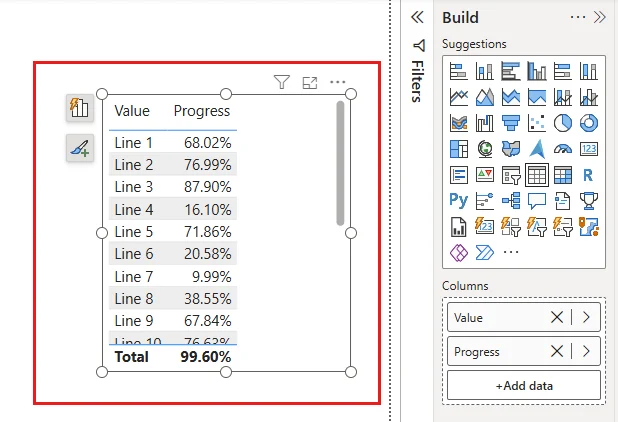
A is stored on the visual and evaluates over the aggregated rows and columns already present there. It is useful for local calculations such as running totals, moving averages, ranking, and percent of parent.
If a field is not present in the visual, add it before trying to reference it in the calculation.
Visual calculation or model measure?
Choose a visual calculation when the result belongs to one visual and should work over the aggregated values already displayed there. Choose a when the calculation must be reusable across visuals or needs broader model context.
That scope difference is often more important than the syntax itself.
Exam clue: calculation needed only for one visual often points to a visual calculation.
Key points
- Scope: fields already present on the visual
- Shortcuts: running totals, moving averages, parent percentages
- Axis: controls calculation direction
- Reset: restarts calculations across hierarchy levels
Click an underlined term for a one-line explanation, or see them all in the glossary .
Exam trap
If a field is absent from the visual, a cannot reach it through model .
Sources · 2 Microsoft Learn pages Show ▾
Checked on October 4, 2026. Report a problem
Go deeper on Microsoft Learn
Checked against Microsoft Learn on October 4, 2026. Report a problem with this card