PL-300 · 3.2.6 · Visualize and analyze the data
Sync slicers
Configure sync slicers
share one selection across report pages, even when the is hidden on some pages.
One slicer selection across pages
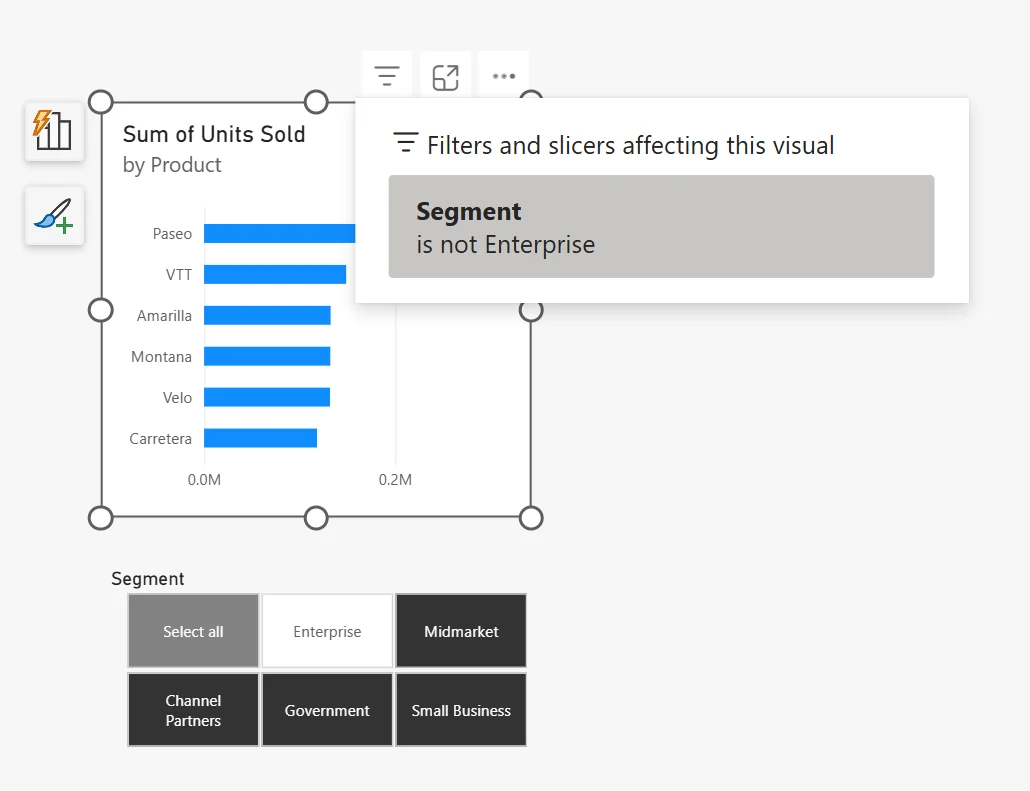
lets one selection affect several report pages. The can be visible everywhere, visible on selected pages, or hidden while its filter still applies.
Sync and visibility are separate
A page can receive the slicer's filter even when readers cannot see the slicer there. This is useful for a clean layout, but it can also create confusing hidden filter state.
| Setting | Question |
|---|---|
| Sync | Should this page receive the selection? |
| Visible | Should readers see the slicer on this page? |
Link separate slicers with groups
Slicer groups can synchronize separate slicer visuals across pages. Depending on the settings, the grouped slicers can share filter changes, field changes, or both while retaining page-specific formatting.
Exam clue: filtered page with no visible slicer often means Sync is on while Visible is off.
Key points
- Sync: applies selection to another page
- Visible: independently controls display
- Formatting: synced copies can differ by page
- Groups: link separate slicers across pages
Click an underlined term for a one-line explanation, or see them all in the glossary .
Exam trap
A can remain hidden and still filter the page.
Sources · 1 Microsoft Learn page Show ▾
Checked on October 4, 2026. Report a problem
Go deeper on Microsoft Learn
Checked against Microsoft Learn on October 4, 2026. Report a problem with this card